
WordPressでサイト運営をしていると、「投稿ごとに設定しているカスタムフィールドをまとめて編集できたらいいのに…」と感じたことはありませんか?たとえばECサイトの商品ページで価格や担当者名を一括で修正したい時や、キャンペーン情報を複数の記事に反映させたい時、1つ1つ投稿を開いて編集していては時間も手間もかかりすぎます。そんな時に役立つのが「クイック編集」機能です。
しかし標準のクイック編集では、タイトルや公開状態など一部の項目しか変更できません。そこで必要になるのが「クイック編集にカスタムフィールドを追加する方法」です。functions.phpに少しコードを追加するだけで、投稿一覧から直接カスタムフィールドを編集できるようになり、日々の更新作業がぐっと効率的になります。
この記事では、WordPressに慣れてきた方が「もっと管理画面を便利にしたい」「ACFのフィールドもクイック編集に対応させたい」といったニーズを解決するために、具体的なコード例と実装手順をわかりやすく解説します。コピペで使えるサンプルコードやトラブル解決のヒントも用意しているので、初心者の方でも安心して試していただけます。
日々の運用作業を効率化し、チームやクライアントにも使いやすい管理画面を作りたい方にとって、本記事は役立つヒントと実用的なコード集になります。

WordPressのクイック編集にカスタムフィールドを追加する基本
WordPressの投稿一覧画面でよく使われる「クイック編集」機能。デフォルトでは記事タイトルやスラッグ、公開日といった基本的な項目しか編集できませんが、カスタムフィールドを追加することで、さらに便利で効率的なコンテンツ管理が可能になります。
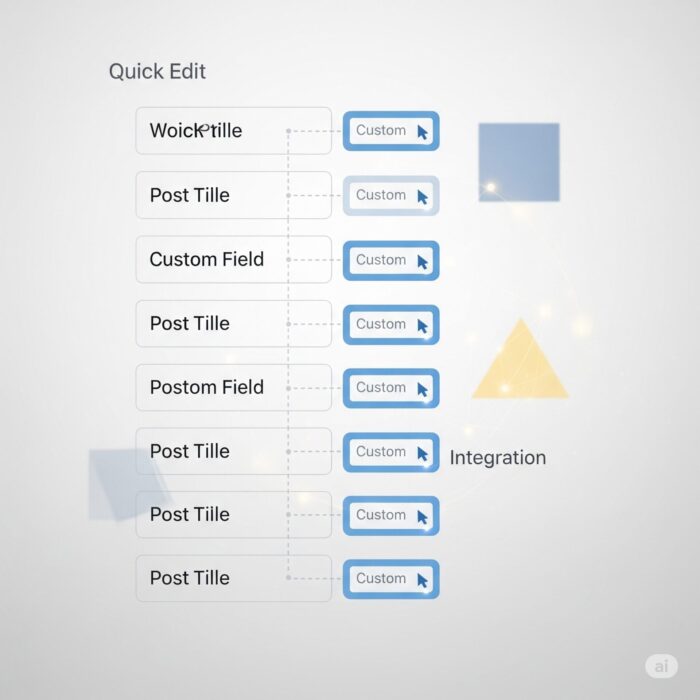
クイック編集のメリットと活用シーン
クイック編集にカスタムフィールドを追加することで得られる最大のメリットは、大量の記事を効率的に管理できることです。
具体的な活用シーンの例
ECサイトの商品管理
- 商品の販売ステータス(販売中・売り切れ・入荷待ち)を一括で切り替え
- 価格や在庫数を投稿編集画面を開くことなく素早く更新
- セール期間の開始・終了日を複数商品にまとめて設定
ブログ記事の管理
- 記事の優先度や重要度をランク付け(A・B・C等級)
- アフィリエイトリンクの有無やステータス管理
- 公開予定日や更新予定日の管理
企業サイトのお知らせ管理
- お知らせの種類(重要・一般・メンテナンス等)の分類
- 表示期間の開始・終了日の設定
- 対象部門やカテゴリーの指定
従来であれば、各記事の編集画面を個別に開いて変更する必要がありましたが、クイック編集にカスタムフィールドを追加することで、投稿一覧画面から直接、必要な情報を素早く更新できるようになります。これにより、作業時間を大幅に短縮し、人的ミスを減らすことができます。
quick_edit_custom_boxフックでフィールドを追加する仕組み
WordPressでは、管理画面のさまざまな部分に独自の機能を追加するために「フック」という仕組みが用意されています。フックには大きく分けて2種類あります:
- アクションフック: 特定のタイミングで処理を実行する(例:記事保存時に何かを実行)
- フィルターフック: データを変更・加工する(例:記事タイトルに何かを追加)
quick_edit_custom_boxはアクションフックの一種で、クイック編集画面が表示される際に独自のHTMLフォーム要素を追加するために使用します。

フックの基本的な動作の流れ
- ユーザーが投稿一覧画面で「クイック編集」をクリック
- WordPressが
quick_edit_custom_boxアクションを実行 - このフックに登録された関数が呼び出される
- 関数内でHTMLのフォーム要素(テキスト入力欄、セレクトボックス等)を出力
- ユーザーに表示される
このフックを使用する際のポイントは、HTMLの出力だけを行うことです。実際のデータ保存処理は別のフック(save_postなど)で行います。
// 基本的な使用方法の例
add_action('quick_edit_custom_box', 'my_quick_edit_fields', 10, 2);

function my_quick_edit_fields($column_name, $post_type) {
    // $column_name: 対象のカラム名
    // $post_type: 投稿タイプ(post, page, カスタム投稿タイプ等)

    if ($post_type == 'post') {
        // HTMLフォーム要素を出力
        echo '<fieldset class="inline-edit-col-right">';
        echo '<div class="inline-edit-col">';
        echo '<label>カスタムフィールド</label>';
        echo '<input type="text" name="my_custom_field" value="">';
        echo '</div>';
        echo '</fieldset>';
    }
}
投稿一覧画面にカスタムフィールドを表示するための準備
クイック編集にカスタムフィールドを追加する前に、まず投稿一覧画面にそのカスタムフィールドの列(カラム)を追加することをお勧めします。これにより、以下のメリットが得られます:
- 現在の値を一目で確認できる
- クイック編集で変更した結果をすぐに確認できる
- ユーザビリティが向上する
カラム追加に必要な2つのフック
1. manage_posts_columnsフック: カラムのヘッダーを追加
add_filter('manage_posts_columns', 'add_custom_columns');

function add_custom_columns($columns) {
    // 新しいカラムを追加
    $columns['my_custom_field'] = 'カスタムフィールド';
    return $columns;
}
2. manage_posts_custom_columnフック: 各行のデータを表示
add_action('manage_posts_custom_column', 'show_custom_column_content', 10, 2);

function show_custom_column_content($column_name, $post_id) {
    if ($column_name == 'my_custom_field') {
        $value = get_post_meta($post_id, 'my_custom_field', true);
        echo esc_html($value);
    }
}
カラムの表示順序をカスタマイズする方法
デフォルトでは、追加したカラムは最後尾に表示されますが、表示順序を調整することも可能です:
function add_custom_columns($columns) {
    // 日付カラムを一時的に削除
    $date_column = $columns['date'];
    unset($columns['date']);

    // カスタムフィールドを追加
    $columns['my_custom_field'] = 'カスタムフィールド';

    // 日付カラムを最後に再追加
    $columns['date'] = $date_column;

    return $columns;
}
この準備により、ユーザーは投稿一覧画面で現在のカスタムフィールドの値を確認し、クイック編集でそれらを効率的に編集できる環境が整います。次のセクションでは、実際にクイック編集機能を実装する具体的なコード例を詳しく解説していきます。

functions.phpに書くだけで実装できるコード例
ここからは、実際にWordPressのfunctions.phpファイルに追加するだけで動作する、具体的なコード例を紹介します。コピー&ペーストですぐに使えるよう、動作確認済みのコードを段階的に解説していきます。
重要な注意事項
- コードを追加する前に、必ずサイト全体のバックアップを取ってください
- 子テーマの
functions.phpに追加することを強く推奨します - コードを追加後は、必ず動作確認を行ってください
単一のカスタムフィールドを追加・保存する実装例
まずは最もシンプルな例から始めましょう。「商品ステータス」という単一のテキストフィールドをクイック編集に追加し、保存する完全なコード例です。
完全なコード例(コピー&ペースト用)
<?php
// 投稿一覧にカスタムカラムを追加
add_filter('manage_posts_columns', 'add_product_status_column');
function add_product_status_column($columns) {
    // 日付の前に新しいカラムを挿入
    $date = $columns['date'];
    unset($columns['date']);
    $columns['product_status'] = '商品ステータス';
    $columns['date'] = $date;
    return $columns;
}

// カラムの内容を表示
add_action('manage_posts_custom_column', 'show_product_status_column', 10, 2);
function show_product_status_column($column, $post_id) {
    if ($column == 'product_status') {
        $status = get_post_meta($post_id, 'product_status', true);
        echo esc_html($status ? $status : '未設定');
    }
}

// クイック編集にフィールドを追加
add_action('quick_edit_custom_box', 'add_product_status_quick_edit', 10, 2);
function add_product_status_quick_edit($column_name, $post_type) {
    if ($column_name == 'product_status' && $post_type == 'post') {
        ?>
        <fieldset class="inline-edit-col-right">
            <div class="inline-edit-col">
                <label>
                    <span class="title">商品ステータス</span>
                    <span class="input-text-wrap">
                        <input type="text" name="product_status" value="" />
                    </span>
                </label>
            </div>
        </fieldset>
        <?php
    }
}

// 現在の値をJavaScriptで設定
add_action('admin_footer', 'add_product_status_script');
function add_product_status_script() {
    global $pagenow;
    if ($pagenow == 'edit.php') {
        ?>
        <script type="text/javascript">
        jQuery(document).ready(function($) {
            // クイック編集ボタンがクリックされた時
            $('.editinline').on('click', function() {
                var post_id = $(this).closest('tr').attr('id').replace('post-', '');
                var product_status = $('#post-' + post_id + ' .product_status').text();

                // 現在の値をフィールドに設定
                $('input[name="product_status"]').val(product_status);
            });
        });
        </script>
        <?php
    }
}

// データを保存
add_action('save_post', 'save_product_status_field');
function save_product_status_field($post_id) {
    // 自動保存の場合はスキップ
    if (defined('DOING_AUTOSAVE') && DOING_AUTOSAVE) return;

    // 権限チェック
    if (!current_user_can('edit_post', $post_id)) return;

    // nonceチェック(簡易版)
    if (isset($_POST['product_status'])) {
        $product_status = sanitize_text_field($_POST['product_status']);
        update_post_meta($post_id, 'product_status', $product_status);
    }
}

// カラム幅の調整(オプション)
add_action('admin_head', 'add_custom_column_styles');
function add_custom_column_styles() {
    echo '<style>
        .column-product_status { width: 120px; }
    </style>';
}
?>
コードの詳細解説
1. カラムの追加部分
add_filter('manage_posts_columns', 'add_product_status_column');この部分で投稿一覧画面に新しい列を追加しています。$columns配列に新しい要素を追加することで、管理画面に表示されます。
2. フィールドの表示部分
add_action('quick_edit_custom_box', 'add_product_status_quick_edit', 10, 2);実際のHTML入力フィールドを生成します。fieldsetとdivのクラス名は、WordPressの既存スタイルに合わせています。
3. 現在値の取得(JavaScript部分)
クイック編集を開いた際に、現在保存されている値を入力フィールドに表示するためのJavaScriptです。これがないと、フィールドは常に空の状態で表示されます。
4. データ保存部分
save_postフックを使用して、クイック編集で入力された値を実際にデータベースに保存します。sanitize_text_field()でデータをサニタイズすることでセキュリティを確保しています。
複数フィールドやカスタム投稿タイプ対応の実装例
次に、より実践的な例として、複数のカスタムフィールドとカスタム投稿タイプに対応したコード例を紹介します。
複数フィールド対応の完全なコード
<?php
// 複数のカスタムフィールドを定義
$custom_fields = array(
    'product_status' => '商品ステータス',
    'product_price' => '価格',
    'stock_quantity' => '在庫数'
);

// 対応する投稿タイプを定義
$supported_post_types = array('post', 'product'); // 'product'はカスタム投稿タイプの例

// カラムを追加
add_filter('manage_posts_columns', 'add_multiple_custom_columns');
add_filter('manage_product_posts_columns', 'add_multiple_custom_columns'); // カスタム投稿タイプ用
function add_multiple_custom_columns($columns) {
    global $custom_fields;

    // 日付カラムを一時保存
    $date = $columns['date'];
    unset($columns['date']);

    // 複数のカスタムフィールドを追加
    foreach ($custom_fields as $field_key => $field_label) {
        $columns[$field_key] = $field_label;
    }

    // 日付カラムを最後に追加
    $columns['date'] = $date;
    return $columns;
}

// カラム内容を表示
add_action('manage_posts_custom_column', 'show_multiple_custom_columns', 10, 2);
add_action('manage_product_posts_custom_column', 'show_multiple_custom_columns', 10, 2);
function show_multiple_custom_columns($column, $post_id) {
    global $custom_fields;

    if (array_key_exists($column, $custom_fields)) {
        $value = get_post_meta($post_id, $column, true);

        // フィールドタイプに応じて表示を調整
        switch ($column) {
            case 'product_price':
                echo $value ? '¥' . number_format($value) : '未設定';
                break;
            case 'stock_quantity':
                echo $value !== '' ? $value . '個' : '未設定';
                break;
            default:
                echo esc_html($value ? $value : '未設定');
        }
    }
}

// クイック編集にフィールドを追加
add_action('quick_edit_custom_box', 'add_multiple_quick_edit_fields', 10, 2);
function add_multiple_quick_edit_fields($column_name, $post_type) {
    global $custom_fields, $supported_post_types;

    // サポートされた投稿タイプのみ対応
    if (!in_array($post_type, $supported_post_types)) return;

    if (array_key_exists($column_name, $custom_fields)) {
        ?>
        <fieldset class="inline-edit-col-right">
            <div class="inline-edit-col">
                <label>
                    <span class="title"><?php echo esc_html($custom_fields[$column_name]); ?></span>
                    <span class="input-text-wrap">
                        <?php if ($column_name == 'product_status'): ?>
                            <!-- セレクトボックスの例 -->
                            <select name="<?php echo $column_name; ?>">
                                <option value="">選択してください</option>
                                <option value="販売中">販売中</option>
                                <option value="売り切れ">売り切れ</option>
                                <option value="入荷待ち">入荷待ち</option>
                                <option value="販売終了">販売終了</option>
                            </select>
                        <?php elseif ($column_name == 'product_price' || $column_name == 'stock_quantity'): ?>
                            <!-- 数値入力の例 -->
                            <input type="number" name="<?php echo $column_name; ?>" value=""
                                   min="0" step="<?php echo $column_name == 'product_price' ? '1' : '1'; ?>" />
                        <?php else: ?>
                            <!-- テキスト入力(デフォルト) -->
                            <input type="text" name="<?php echo $column_name; ?>" value="" />
                        <?php endif; ?>
                    </span>
                </label>
            </div>
        </fieldset>
        <?php
    }
}

// JavaScript で現在の値を設定
add_action('admin_footer', 'add_multiple_fields_script');
function add_multiple_fields_script() {
    global $pagenow, $custom_fields;
    if ($pagenow == 'edit.php') {
        ?>
        <script type="text/javascript">
        jQuery(document).ready(function($) {
            $('.editinline').on('click', function() {
                var post_id = $(this).closest('tr').attr('id').replace('post-', '');

                <?php foreach ($custom_fields as $field_key => $field_label): ?>
                var <?php echo $field_key; ?> = $('#post-' + post_id + ' .<?php echo $field_key; ?>').text().trim();

                <?php if ($field_key == 'product_status'): ?>
                // セレクトボックスの場合
                $('select[name="<?php echo $field_key; ?>"]').val(<?php echo $field_key; ?>);
                <?php elseif ($field_key == 'product_price'): ?>
                // 価格の場合(¥と,を除去)
                var price_value = <?php echo $field_key; ?>.replace(/[¥,]/g, '').replace('未設定', '');
                $('input[name="<?php echo $field_key; ?>"]').val(price_value);
                <?php elseif ($field_key == 'stock_quantity'): ?>
                // 在庫数の場合(「個」を除去)
                var stock_value = <?php echo $field_key; ?>.replace('個', '').replace('未設定', '');
                $('input[name="<?php echo $field_key; ?>"]').val(stock_value);
                <?php else: ?>
                // テキストフィールドの場合
                $('input[name="<?php echo $field_key; ?>"]').val(<?php echo $field_key; ?>.replace('未設定', ''));
                <?php endif; ?>
                <?php endforeach; ?>
            });
        });
        </script>
        <?php
    }
}

// データ保存
add_action('save_post', 'save_multiple_custom_fields');
function save_multiple_custom_fields($post_id) {
    global $custom_fields, $supported_post_types;

    // 基本的なチェック
    if (defined('DOING_AUTOSAVE') && DOING_AUTOSAVE) return;
    if (!current_user_can('edit_post', $post_id)) return;

    // 投稿タイプチェック
    $post_type = get_post_type($post_id);
    if (!in_array($post_type, $supported_post_types)) return;

    // 各フィールドを保存
    foreach ($custom_fields as $field_key => $field_label) {
        if (isset($_POST[$field_key])) {
            $value = $_POST[$field_key];

            // フィールドタイプに応じてバリデーション
            switch ($field_key) {
                case 'product_price':
                case 'stock_quantity':
                    // 数値フィールドの場合
                    $value = is_numeric($value) ? intval($value) : '';
                    break;
                default:
                    // テキストフィールドの場合
                    $value = sanitize_text_field($value);
            }

            update_post_meta($post_id, $field_key, $value);
        }
    }
}
?>
バリデーションやUIカスタマイズのポイント(テキスト・セレクトボックス&ラベル設定)
より高度なUIと堅牢なバリデーションを実装するためのテクニックを紹介します。
高度なフィールドタイプとバリデーション
<?php
// 高度なフィールド設定の定義
$advanced_fields = array(
    'priority_level' => array(
        'label' => '優先度',
        'type' => 'select',
        'options' => array(
            'high' => '高',
            'medium' => '中',
            'low' => '低'
        ),
        'required' => true
    ),
    'publish_date' => array(
        'label' => '公開予定日',
        'type' => 'date',
        'validation' => 'date'
    ),
    'external_url' => array(
        'label' => '外部URL',
        'type' => 'url',
        'validation' => 'url',
        'placeholder' => '<https://example.com>'
    ),
    'view_count' => array(
        'label' => '閲覧数',
        'type' => 'number',
        'min' => 0,
        'validation' => 'numeric'
    )
);

// 高度なクイック編集フィールド生成
add_action('quick_edit_custom_box', 'add_advanced_quick_edit_fields', 10, 2);
function add_advanced_quick_edit_fields($column_name, $post_type) {
    global $advanced_fields;

    if ($post_type !== 'post') return;

    if (array_key_exists($column_name, $advanced_fields)) {
        $field = $advanced_fields[$column_name];
        ?>
        <fieldset class="inline-edit-col-right">
            <div class="inline-edit-col">
                <label>
                    <span class="title">
                        <?php echo esc_html($field['label']); ?>
                        <?php if (!empty($field['required'])): ?>
                            <span style="color: red;">*</span>
                        <?php endif; ?>
                    </span>
                    <span class="input-text-wrap">
                        <?php
                        switch ($field['type']) {
                            case 'select':
                                echo '<select name="' . $column_name . '">';
                                echo '<option value="">選択してください</option>';
                                foreach ($field['options'] as $value => $label) {
                                    echo '<option value="' . esc_attr($value) . '">' . esc_html($label) . '</option>';
                                }
                                echo '</select>';
                                break;

                            case 'date':
                                echo '<input type="date" name="' . $column_name . '" value="" />';
                                break;

                            case 'url':
                                $placeholder = !empty($field['placeholder']) ? 'placeholder="' . esc_attr($field['placeholder']) . '"' : '';
                                echo '<input type="url" name="' . $column_name . '" value="" ' . $placeholder . ' />';
                                break;

                            case 'number':
                                $min = isset($field['min']) ? 'min="' . $field['min'] . '"' : '';
                                echo '<input type="number" name="' . $column_name . '" value="" ' . $min . ' />';
                                break;

                            default:
                                echo '<input type="text" name="' . $column_name . '" value="" />';
                        }
                        ?>
                    </span>
                </label>
            </div>
        </fieldset>
        <?php
    }
}

// 高度なバリデーション機能付きデータ保存
add_action('save_post', 'save_advanced_custom_fields');
function save_advanced_custom_fields($post_id) {
    global $advanced_fields;

    if (defined('DOING_AUTOSAVE') && DOING_AUTOSAVE) return;
    if (!current_user_can('edit_post', $post_id)) return;

    $errors = array();

    foreach ($advanced_fields as $field_key => $field_config) {
        if (isset($_POST[$field_key])) {
            $value = $_POST[$field_key];

            // 必須フィールドチェック
            if (!empty($field_config['required']) && empty($value)) {
                $errors[] = $field_config['label'] . 'は必須項目です。';
                continue;
            }

            // バリデーション
            if (!empty($value) && !empty($field_config['validation'])) {
                switch ($field_config['validation']) {
                    case 'date':
                        if (!preg_match('/^\\d{4}-\\d{2}-\\d{2}$/', $value) || !strtotime($value)) {
                            $errors[] = $field_config['label'] . 'の日付形式が正しくありません。';
                            continue 2;
                        }
                        break;

                    case 'url':
                        if (!filter_var($value, FILTER_VALIDATE_URL)) {
                            $errors[] = $field_config['label'] . 'のURL形式が正しくありません。';
                            continue 2;
                        }
                        break;

                    case 'numeric':
                        if (!is_numeric($value)) {
                            $errors[] = $field_config['label'] . 'は数値で入力してください。';
                            continue 2;
                        }
                        $value = intval($value);
                        break;
                }
            }

            // データタイプに応じてサニタイズ
            switch ($field_config['type']) {
                case 'url':
                    $value = esc_url_raw($value);
                    break;
                case 'number':
                    $value = intval($value);
                    break;
                default:
                    $value = sanitize_text_field($value);
            }

            update_post_meta($post_id, $field_key, $value);
        }
    }

    // エラーがある場合はセッションに保存(エラー表示用)
    if (!empty($errors)) {
        set_transient('custom_field_errors_' . $post_id, $errors, 30);
    }
}

// エラー表示用の管理画面通知
add_action('admin_notices', 'show_custom_field_errors');
function show_custom_field_errors() {
    if (isset($_GET['post']) && is_numeric($_GET['post'])) {
        $errors = get_transient('custom_field_errors_' . $_GET['post']);
        if ($errors) {
            echo '<div class="notice notice-error is-dismissible"><p>';
            echo implode('<br>', array_map('esc_html', $errors));
            echo '</p></div>';
            delete_transient('custom_field_errors_' . $_GET['post']);
        }
    }
}

// スタイリング追加
add_action('admin_head', 'add_advanced_custom_styles');
function add_advanced_custom_styles() {
    ?>
    <style>
    .inline-edit-col .title {
        font-weight: 600;
        display: inline-block;
        width: 120px;
    }

    .inline-edit-col select,
    .inline-edit-col input[type="text"],
    .inline-edit-col input[type="url"],
    .inline-edit-col input[type="date"],
    .inline-edit-col input[type="number"] {
        width: 200px;
    }

    .column-priority_level,
    .column-view_count { width: 80px; }
    .column-publish_date { width: 120px; }
    .column-external_url { width: 150px; }
    </style>
    <?php
}
?>
UIカスタマイズのベストプラクティス
このような実装により、WordPressの管理画面により使いやすく、効率的なカスタムフィールド編集機能を追加できます。


投稿一覧画面のUX改善と運用効率化のための応用テクニック
基本的なクイック編集機能の実装ができたら、次は実際の運用を想定したより高度なテクニックを導入しましょう。このセクションでは、管理画面の使いやすさを大幅に向上させ、日常的な作業効率を最大化するための応用的な実装方法を解説します。

クイック編集対象のカスタムフィールドをカラム表示する方法
クイック編集機能を最大限活用するには、編集対象のカスタムフィールドを投稿一覧画面のカラムとして表示することが重要です。これにより、現在の値を一目で確認でき、変更後の結果もすぐに確認できます。
ソート機能付きカラム表示の実装
単純にカラムを表示するだけでなく、クリックでソート(並び替え)ができる高機能なカラムを実装しましょう。
<?php
// ソート可能なカスタムカラムの設定
$sortable_custom_fields = array(
    'product_status' => array(
        'label' => '商品ステータス',
        'sortable' => true,
        'type' => 'text'
    ),
    'product_price' => array(
        'label' => '価格',
        'sortable' => true,
        'type' => 'numeric'
    ),
    'priority_level' => array(
        'label' => '優先度',
        'sortable' => true,
        'type' => 'text',
        'sort_order' => array('high', 'medium', 'low') // カスタムソート順序
    ),
    'publish_date' => array(
        'label' => '公開予定日',
        'sortable' => true,
        'type' => 'date'
    )
);

// カラムの追加
add_filter('manage_posts_columns', 'add_enhanced_custom_columns');
function add_enhanced_custom_columns($columns) {
    global $sortable_custom_fields;

    // 既存カラムの位置を調整
    $new_columns = array();
    foreach ($columns as $key => $value) {
        $new_columns[$key] = $value;

        // チェックボックスの後にカスタムフィールドを挿入
        if ($key === 'cb') {
            foreach ($sortable_custom_fields as $field_key => $field_config) {
                $new_columns[$field_key] = $field_config['label'];
            }
        }
    }

    return $new_columns;
}

// カラム内容の表示(視覚的に見やすく改良)
add_action('manage_posts_custom_column', 'show_enhanced_custom_columns', 10, 2);
function show_enhanced_custom_columns($column, $post_id) {
    global $sortable_custom_fields;

    if (array_key_exists($column, $sortable_custom_fields)) {
        $value = get_post_meta($post_id, $column, true);
        $field_config = $sortable_custom_fields[$column];

        // フィールドタイプに応じて表示をカスタマイズ
        switch ($field_config['type']) {
            case 'numeric':
                if ($value !== '') {
                    // 価格の場合の表示例
                    if ($column === 'product_price') {
                        echo '<span class="custom-price">¥' . number_format($value) . '</span>';
                    } else {
                        echo '<span class="custom-number">' . number_format($value) . '</span>';
                    }
                } else {
                    echo '<span class="custom-empty">未設定</span>';
                }
                break;

            case 'date':
                if ($value) {
                    $date = new DateTime($value);
                    $now = new DateTime();
                    $class = $date < $now ? 'custom-date-past' : 'custom-date-future';
                    echo '<span class="' . $class . '">' . $date->format('Y/m/d') . '</span>';
                } else {
                    echo '<span class="custom-empty">未設定</span>';
                }
                break;

            case 'text':
            default:
                if ($value) {
                    // ステータスに応じて色分け
                    $status_classes = array(
                        '販売中' => 'status-active',
                        '売り切れ' => 'status-soldout',
                        '入荷待ち' => 'status-waiting',
                        '販売終了' => 'status-ended',
                        'high' => 'priority-high',
                        'medium' => 'priority-medium',
                        'low' => 'priority-low'
                    );

                    $class = isset($status_classes[$value]) ? $status_classes[$value] : 'status-default';
                    echo '<span class="custom-status ' . $class . '">' . esc_html($value) . '</span>';
                } else {
                    echo '<span class="custom-empty">未設定</span>';
                }
        }
    }
}

// ソート機能を有効化
add_filter('manage_edit-post_sortable_columns', 'make_custom_columns_sortable');
function make_custom_columns_sortable($columns) {
    global $sortable_custom_fields;

    foreach ($sortable_custom_fields as $field_key => $field_config) {
        if ($field_config['sortable']) {
            $columns[$field_key] = $field_key;
        }
    }

    return $columns;
}

// ソートクエリの処理
add_action('pre_get_posts', 'handle_custom_column_sorting');
function handle_custom_column_sorting($query) {
    if (!is_admin() || !$query->is_main_query()) {
        return;
    }

    global $sortable_custom_fields;
    $orderby = $query->get('orderby');

    if (array_key_exists($orderby, $sortable_custom_fields)) {
        $field_config = $sortable_custom_fields[$orderby];

        switch ($field_config['type']) {
            case 'numeric':
                $query->set('meta_key', $orderby);
                $query->set('orderby', 'meta_value_num');
                break;

            case 'date':
                $query->set('meta_key', $orderby);
                $query->set('orderby', 'meta_value');
                $query->set('meta_type', 'DATE');
                break;

            case 'text':
                if (isset($field_config['sort_order'])) {
                    // カスタムソート順序の場合
                    $query->set('meta_key', $orderby);
                    $query->set('orderby', 'meta_value');
                    add_filter('posts_clauses', 'custom_sort_order_clauses');
                } else {
                    // 通常のテキストソート
                    $query->set('meta_key', $orderby);
                    $query->set('orderby', 'meta_value');
                }
                break;
        }
    }
}

// カスタムソート順序の処理
function custom_sort_order_clauses($clauses) {
    global $wpdb, $sortable_custom_fields;
    $orderby = isset($_GET['orderby']) ? $_GET['orderby'] : '';

    if (isset($sortable_custom_fields[$orderby]['sort_order'])) {
        $sort_order = $sortable_custom_fields[$orderby]['sort_order'];
        $order = isset($_GET['order']) && $_GET['order'] === 'desc' ? 'DESC' : 'ASC';

        // FIELD関数を使用してカスタム順序でソート
        $field_values = "'" . implode("','", $sort_order) . "'";
        $clauses['orderby'] = "FIELD({$wpdb->postmeta}.meta_value, {$field_values}) {$order}";

        // フィルターを一度だけ実行
        remove_filter('posts_clauses', 'custom_sort_order_clauses');
    }

    return $clauses;
}

// カラムの視覚的なスタイリング
add_action('admin_head', 'add_enhanced_column_styles');
function add_enhanced_column_styles() {
    ?>
    <style>
    /* カラム幅の調整 */
    .column-product_status,
    .column-priority_level { width: 100px; }
    .column-product_price { width: 120px; }
    .column-publish_date { width: 100px; }

    /* ステータス表示のスタイリング */
    .custom-status {
        padding: 3px 8px;
        border-radius: 3px;
        font-size: 11px;
        font-weight: bold;
        text-transform: uppercase;
    }

    .status-active { background-color: #46b450; color: white; }
    .status-soldout { background-color: #dc3232; color: white; }
    .status-waiting { background-color: #ffb900; color: white; }
    .status-ended { background-color: #666; color: white; }

    .priority-high { background-color: #dc3232; color: white; }
    .priority-medium { background-color: #ffb900; color: white; }
    .priority-low { background-color: #46b450; color: white; }

    .custom-price {
        font-weight: bold;
        color: #0073aa;
    }

    .custom-date-past { color: #dc3232; }
    .custom-date-future { color: #46b450; }

    .custom-empty {
        color: #999;
        font-style: italic;
    }

    /* ソート可能なカラムの見た目を改良 */
    .manage-column.sortable a,
    .manage-column.sorted a {
        display: block;
        position: relative;
    }
    </style>
    <?php
}
?>
一括編集にカスタムフィールドを対応させる方法
クイック編集だけでなく、複数の投稿を同時に編集できる「一括編集」機能にもカスタムフィールドを対応させることで、さらに効率的な管理が可能になります。
一括編集機能の完全実装
<?php
// 一括編集対応フィールドの定義
$bulk_edit_fields = array(
    'product_status' => array(
        'label' => '商品ステータス',
        'type' => 'select',
        'options' => array(
            '' => '変更しない',
            '販売中' => '販売中',
            '売り切れ' => '売り切れ',
            '入荷待ち' => '入荷待ち',
            '販売終了' => '販売終了'
        )
    ),
    'priority_level' => array(
        'label' => '優先度',
        'type' => 'select',
        'options' => array(
            '' => '変更しない',
            'high' => '高',
            'medium' => '中',
            'low' => '低'
        )
    ),
    'product_price' => array(
        'label' => '価格調整',
        'type' => 'price_adjustment',
        'options' => array(
            '' => '変更しない',
            'set' => '価格を設定',
            'increase' => '価格を上げる(%)',
            'decrease' => '価格を下げる(%)'
        )
    )
);

// 一括編集にフィールドを追加
add_action('bulk_edit_custom_box', 'add_bulk_edit_custom_fields', 10, 2);
function add_bulk_edit_custom_fields($column_name, $post_type) {
    global $bulk_edit_fields;

    if ($post_type !== 'post') return;

    if (array_key_exists($column_name, $bulk_edit_fields)) {
        $field = $bulk_edit_fields[$column_name];
        ?>
        <fieldset class="inline-edit-col-right">
            <div class="inline-edit-col">
                <label>
                    <span class="title"><?php echo esc_html($field['label']); ?></span>
                    <span class="input-text-wrap">
                        <?php if ($field['type'] === 'select'): ?>
                            <select name="bulk_edit_<?php echo $column_name; ?>">
                                <?php foreach ($field['options'] as $value => $label): ?>
                                    <option value="<?php echo esc_attr($value); ?>"><?php echo esc_html($label); ?></option>
                                <?php endforeach; ?>
                            </select>
                        <?php elseif ($field['type'] === 'price_adjustment'): ?>
                            <select name="bulk_edit_<?php echo $column_name; ?>_type" id="price_adjustment_type">
                                <?php foreach ($field['options'] as $value => $label): ?>
                                    <option value="<?php echo esc_attr($value); ?>"><?php echo esc_html($label); ?></option>
                                <?php endforeach; ?>
                            </select>
                            <div id="price_input_container" style="margin-top: 5px; display: none;">
                                <input type="number" name="bulk_edit_<?php echo $column_name; ?>_value"
                                       placeholder="値を入力" min="0" step="1" />
                                <span id="price_unit">円</span>
                            </div>
                        <?php endif; ?>
                    </span>
                </label>
            </div>
        </fieldset>

        <?php if ($field['type'] === 'price_adjustment'): ?>
        <script type="text/javascript">
        jQuery(document).ready(function($) {
            $('#price_adjustment_type').change(function() {
                var container = $('#price_input_container');
                var unit = $('#price_unit');
                var input = $('input[name="bulk_edit_<?php echo $column_name; ?>_value"]');

                if ($(this).val() === '') {
                    container.hide();
                } else {
                    container.show();

                    if ($(this).val() === 'set') {
                        unit.text('円');
                        input.attr('placeholder', '価格を入力');
                    } else {
                        unit.text('%');
                        input.attr('placeholder', 'パーセンテージを入力');
                    }
                }
            });
        });
        </script>
        <?php endif; ?>
        <?php
    }
}

// 一括編集のデータ保存処理
add_action('wp_ajax_save_bulk_edit_data', 'save_bulk_edit_custom_fields');
function save_bulk_edit_custom_fields() {
    global $bulk_edit_fields;

    // セキュリティチェック
    if (!current_user_can('edit_posts') || !isset($_POST['post_ids'])) {
        wp_die('権限がありません。');
    }

    $post_ids = array_map('intval', $_POST['post_ids']);
    $updated_count = 0;

    foreach ($post_ids as $post_id) {
        if (!current_user_can('edit_post', $post_id)) continue;

        $updated = false;

        foreach ($bulk_edit_fields as $field_key => $field_config) {
            $bulk_field_name = 'bulk_edit_' . $field_key;

            if ($field_config['type'] === 'price_adjustment') {
                // 価格調整の特別処理
                $adjustment_type = isset($_POST[$bulk_field_name . '_type']) ? $_POST[$bulk_field_name . '_type'] : '';
                $adjustment_value = isset($_POST[$bulk_field_name . '_value']) ? floatval($_POST[$bulk_field_name . '_value']) : 0;

                if ($adjustment_type && $adjustment_value > 0) {
                    $current_price = get_post_meta($post_id, $field_key, true);
                    $current_price = floatval($current_price);

                    switch ($adjustment_type) {
                        case 'set':
                            update_post_meta($post_id, $field_key, $adjustment_value);
                            $updated = true;
                            break;

                        case 'increase':
                            if ($current_price > 0) {
                                $new_price = $current_price * (1 + $adjustment_value / 100);
                                update_post_meta($post_id, $field_key, round($new_price));
                                $updated = true;
                            }
                            break;

                        case 'decrease':
                            if ($current_price > 0) {
                                $new_price = $current_price * (1 - $adjustment_value / 100);
                                update_post_meta($post_id, $field_key, max(0, round($new_price)));
                                $updated = true;
                            }
                            break;
                    }
                }
            } else {
                // 通常のフィールドの処理
                if (isset($_POST[$bulk_field_name]) && $_POST[$bulk_field_name] !== '') {
                    $value = sanitize_text_field($_POST[$bulk_field_name]);
                    update_post_meta($post_id, $field_key, $value);
                    $updated = true;
                }
            }
        }

        if ($updated) {
            $updated_count++;
        }
    }

    // 結果をJSONで返す
    wp_send_json_success(array(
        'message' => $updated_count . '件の投稿を更新しました。',
        'updated_count' => $updated_count
    ));
}

// 一括編集のJavaScript処理
add_action('admin_footer', 'add_bulk_edit_script');
function add_bulk_edit_script() {
    global $pagenow;
    if ($pagenow !== 'edit.php') return;
    ?>
    <script type="text/javascript">
    jQuery(document).ready(function($) {
        // 一括編集の保存ボタンクリック時の処理
        $('#bulk_edit').live('click', function(e) {
            var bulk_edit_row = $('#bulk-edit');
            var post_ids = [];

            // 選択された投稿IDを取得
            bulk_edit_row.find('#bulk-titles .ntdelbutton').each(function() {
                var id = $(this).attr('id').replace(/^_/, '');
                if (id) post_ids.push(id);
            });

            if (post_ids.length === 0) return;

            // カスタムフィールドのデータを収集
            var custom_data = {
                action: 'save_bulk_edit_data',
                post_ids: post_ids
            };

            // 各カスタムフィールドの値を追加
            bulk_edit_row.find('select[name^="bulk_edit_"], input[name^="bulk_edit_"]').each(function() {
                custom_data[$(this).attr('name')] = $(this).val();
            });

            // AJAX でデータを送信
            $.post(ajaxurl, custom_data, function(response) {
                if (response.success) {
                    // 成功メッセージを表示
                    $('.wrap h1').after('<div class="notice notice-success is-dismissible"><p>' +
                                       response.data.message + '</p></div>');

                    // ページをリロード
                    location.reload();
                } else {
                    alert('エラーが発生しました: ' + response.data);
                }
            });
        });
    });
    </script>
    <?php
}
?>
保存されない・反映されないときのトラブルシューティングと解決策
実際の運用では、カスタムフィールドの保存がうまくいかない場合があります。ここでは、よくある問題とその解決策を体系的に解説します。
包括的なデバッグ・トラブルシューティングシステム
<?php
// デバッグ用のログ機能
class CustomFieldDebugger {
    private static $log_file = '';

    public static function init() {
        self::$log_file = WP_CONTENT_DIR . '/custom-fields-debug.log';
    }

    public static function log($message, $data = null) {
        if (!WP_DEBUG) return;

        $timestamp = date('Y-m-d H:i:s');
        $log_entry = "[{$timestamp}] {$message}";

        if ($data !== null) {
            $log_entry .= "\\nData: " . print_r($data, true);
        }

        $log_entry .= "\\n" . str_repeat('-', 50) . "\\n";

        error_log($log_entry, 3, self::$log_file);
    }

    public static function check_prerequisites() {
        $issues = array();

        // 基本的な権限チェック
        if (!current_user_can('edit_posts')) {
            $issues[] = '投稿編集権限がありません';
        }

        // テーマの確認
        if (!is_child_theme()) {
            $issues[] = '子テーマを使用していません(推奨)';
        }

        // メモリ制限の確認
        $memory_limit = ini_get('memory_limit');
        $memory_bytes = wp_convert_hr_to_bytes($memory_limit);
        if ($memory_bytes < 134217728) { // 128MB未満
            $issues[] = 'メモリ制限が低い可能性があります: ' . $memory_limit;
        }

        return $issues;
    }
}

// デバッガーの初期化
add_action('init', array('CustomFieldDebugger', 'init'));

// 強化されたカスタムフィールド保存機能
add_action('save_post', 'enhanced_save_custom_fields', 10, 3);
function enhanced_save_custom_fields($post_id, $post, $update) {
    // デバッグログの開始
    CustomFieldDebugger::log('カスタムフィールド保存開始', array(
        'post_id' => $post_id,
        'post_type' => $post->post_type,
        'is_update' => $update
    ));

    // 基本的なチェック
    $skip_reasons = array();

    if (defined('DOING_AUTOSAVE') && DOING_AUTOSAVE) {
        $skip_reasons[] = '自動保存中';
    }

    if (wp_is_post_revision($post_id)) {
        $skip_reasons[] = 'リビジョン保存';
    }

    if (!current_user_can('edit_post', $post_id)) {
        $skip_reasons[] = '権限不足';
    }

    if (!in_array($post->post_type, array('post', 'page'))) {
        $skip_reasons[] = 'サポート外の投稿タイプ: ' . $post->post_type;
    }

    if (!empty($skip_reasons)) {
        CustomFieldDebugger::log('保存をスキップ', $skip_reasons);
        return;
    }

    // nonce チェック(クイック編集では使用されないため条件付き)
    $is_quick_edit = isset($_POST['_inline_edit']) && wp_verify_nonce($_POST['_inline_edit'], 'inlineeditnonce');
    $is_bulk_edit = isset($_POST['bulk_edit']);

    if (!$is_quick_edit && !$is_bulk_edit && isset($_POST['_wpnonce'])) {
        if (!wp_verify_nonce($_POST['_wpnonce'], 'update-post_' . $post_id)) {
            CustomFieldDebugger::log('nonceチェックに失敗');
            return;
        }
    }

    // カスタムフィールドの保存処理
    $custom_fields_to_save = array('product_status', 'product_price', 'priority_level', 'publish_date');
    $saved_fields = array();
    $failed_fields = array();

    foreach ($custom_fields_to_save as $field_name) {
        if (isset($_POST[$field_name])) {
            $old_value = get_post_meta($post_id, $field_name, true);
            $new_value = sanitize_text_field($_POST[$field_name]);

            // 値の変更があった場合のみ更新
            if ($old_value !== $new_value) {
                $result = update_post_meta($post_id, $field_name, $new_value, $old_value);

                if ($result) {
                    $saved_fields[$field_name] = array(
                        'old' => $old_value,
                        'new' => $new_value
                    );
                } else {
                    $failed_fields[$field_name] = array(
                        'old' => $old_value,
                        'new' => $new_value,
                        'error' => 'update_post_meta failed'
                    );
                }
            }
        }
    }

    // 結果をログに記録
    if (!empty($saved_fields)) {
        CustomFieldDebugger::log('保存成功', $saved_fields);
    }

    if (!empty($failed_fields)) {
        CustomFieldDebugger::log('保存失敗', $failed_fields);
    }

    // データベース整合性チェック
    $verification_results = array();
    foreach ($saved_fields as $field_name => $changes) {
        $current_value = get_post_meta($post_id, $field_name, true);
        $verification_results[$field_name] = array(
            'expected' => $changes['new'],
            'actual' => $current_value,
            'match' => ($changes['new'] === $current_value)
        );
    }

    CustomFieldDebugger::log('データ整合性チェック', $verification_results);
}

// 管理画面にトラブルシューティング情報を表示
add_action('admin_notices', 'show_custom_field_diagnostics');
function show_custom_field_diagnostics() {
    if (!current_user_can('manage_options') || !isset($_GET['debug_custom_fields'])) {
        return;
    }

    $issues = CustomFieldDebugger::check_prerequisites();

    if (!empty($issues)) {
        echo '<div class="notice notice-warning"><p><strong>カスタムフィールド診断:</strong></p><ul>';
        foreach ($issues as $issue) {
            echo '<li>' . esc_html($issue) . '</li>';
        }
        echo '</ul></div>';
    } else {
        echo '<div class="notice notice-success"><p>カスタムフィールドの設定に問題は見つかりませんでした。</p></div>';
    }
}

// AJAX経由での保存テスト機能
add_action('wp_ajax_test_custom_field_save', 'test_custom_field_save');
function test_custom_field_save() {
    if (!current_user_can('manage_options')) {
        wp_die('権限がありません');
    }

    $test_post_id = isset($_POST['test_post_id']) ? intval($_POST['test_post_id']) : 0;

    if (!$test_post_id || !get_post($test_post_id)) {
        wp_send_json_error('有効な投稿IDが必要です');
    }

    // テストデータの保存
    $test_field = 'test_custom_field_' . time();
    $test_value = 'test_value_' . rand(1000, 9999);

    $save_result = update_post_meta($test_post_id, $test_field, $test_value);
    $verify_result = get_post_meta($test_post_id, $test_field, true);

    // テストデータの削除
    delete_post_meta($test_post_id, $test_field);

    wp_send_json_success(array(
        'save_result' => $save_result,
        'verify_result' => $verify_result,
        'success' => ($save_result && $verify_result === $test_value),
        'test_field' => $test_field,
        'test_value' => $test_value
    ));
}

// デバッグ用の管理画面ページ
add_action('admin_menu', 'add_custom_field_debug_page');
function add_custom_field_debug_page() {
    add_management_page(
        'カスタムフィールドデバッグ',
        'カスタムフィールドデバッグ',
        'manage_options',
        'custom-field-debug',
        'custom_field_debug_page_content'
    );
}

function custom_field_debug_page_content() {
    if (!current_user_can('manage_options')) return;

    ?>
    <div class="wrap">
        <h1>カスタムフィールド デバッグツール</h1>

        <div class="card">
            <h2>システム診断</h2>
            <button type="button" class="button" onclick="runDiagnostics()">診断を実行</button>
            <div id="diagnostics-result"></div>
        </div>

        <div class="card">
            <h2>保存テスト</h2>
            <p>特定の投稿でカスタムフィールドの保存機能をテストします。</p>
            <label>テスト対象の投稿ID:
                <input type="number" id="test-post-id" value="1" min="1">
            </label>
            <button type="button" class="button" onclick="runSaveTest()">保存テストを実行</button>
            <div id="save-test-result"></div>
        </div>

        <div class="card">
            <h2>デバッグログ</h2>
            <?php
            $log_file = WP_CONTENT_DIR . '/custom-fields-debug.log';
            if (file_exists($log_file)) {
                $log_content = file_get_contents($log_file);
                if ($log_content) {
                    echo '<textarea readonly style="width: 100%; height: 300px;">' . esc_textarea($log_content) . '</textarea>';
                    echo '<p><button type="button" class="button" onclick="clearDebugLog()">ログをクリア</button></p>';
                } else {
                    echo '<p>ログファイルは空です。</p>';
                }
            } else {
                echo '<p>ログファイルが見つかりません。</p>';
            }
            ?>
        </div>
    </div>

    <script type="text/javascript">
    function runDiagnostics() {
        var resultDiv = document.getElementById('diagnostics-result');
        resultDiv.innerHTML = '<p>診断を実行中...</p>';

        jQuery.post(ajaxurl, {
            action: 'custom_field_diagnostics'
        }, function(response) {
            if (response.success) {
                var html = '<h3>診断結果:</h3><ul>';
                for (var i = 0; i < response.data.length; i++) {
                    html += '<li>' + response.data[i] + '</li>';
                }
                html += '</ul>';
                resultDiv.innerHTML = html;
            } else {
                resultDiv.innerHTML = '<p style="color: red;">診断に失敗しました。</p>';
            }
        });
    }

    function runSaveTest() {
        var postId = document.getElementById('test-post-id').value;
        var resultDiv = document.getElementById('save-test-result');

        resultDiv.innerHTML = '<p>テスト実行中...</p>';

        jQuery.post(ajaxurl, {
            action: 'test_custom_field_save',
            test_post_id: postId
        }, function(response) {
            if (response.success) {
                var result = response.data;
                var status = result.success ? '成功' : '失敗';
                var color = result.success ? 'green' : 'red';

                resultDiv.innerHTML = '<p style="color: ' + color + ';">テスト結果: ' + status + '</p>' +
                                    '<p>保存結果: ' + result.save_result + '</p>' +
                                    '<p>検証結果: ' + result.verify_result + '</p>';
            } else {
                resultDiv.innerHTML = '<p style="color: red;">テストに失敗: ' + response.data + '</p>';
            }
        });
    }

    function clearDebugLog() {
        if (confirm('ログファイルをクリアしてもよろしいですか?')) {
            jQuery.post(ajaxurl, {
                action: 'clear_custom_field_log'
            }, function(response) {
                location.reload();
            });
        }
    }
    </script>
    <?php
}

// 診断機能のAJAXハンドラー
add_action('wp_ajax_custom_field_diagnostics', 'handle_custom_field_diagnostics');
function handle_custom_field_diagnostics() {
    if (!current_user_can('manage_options')) {
        wp_die('権限がありません');
    }

    $issues = CustomFieldDebugger::check_prerequisites();
    wp_send_json_success($issues);
}

// ログクリア機能
add_action('wp_ajax_clear_custom_field_log', 'clear_custom_field_log');
function clear_custom_field_log() {
    if (!current_user_can('manage_options')) {
        wp_die('権限がありません');
    }

    $log_file = WP_CONTENT_DIR . '/custom-fields-debug.log';
    if (file_exists($log_file)) {
        file_put_contents($log_file, '');
    }

    wp_send_json_success();
}
?>
よくある問題と解決策
1. フィールドが保存されない場合
症状: クイック編集で値を入力しても、保存後に反映されない
原因と解決策:
// 問題: nonceチェックが厳しすぎる
// 解決策: クイック編集の場合は適切なnonceを使用
function fixed_save_custom_fields($post_id) {
    // クイック編集の場合の適切なnonce確認
    if (isset($_POST['_inline_edit'])) {
        if (!wp_verify_nonce($_POST['_inline_edit'], 'inlineeditnonce')) {
            return;
        }
    }

    // データの保存処理...
}
2. JavaScriptで現在値が取得できない場合
症状: クイック編集を開いても、フィールドが空のまま
原因と解決策:
// 問題: カラムのCSSクラス名が正しくない
// 解決策: 正確なセレクターを使用
jQuery(document).ready(function($) {
    $('.editinline').on('click', function() {
        var $row = $(this).closest('tr');
        var post_id = $row.attr('id').replace('post-', '');

        // より確実な値の取得方法
        var status_cell = $row.find('.column-product_status');
        var status_value = status_cell.find('.custom-status').text() || status_cell.text().trim();

        // 「未設定」の場合は空文字にする
        if (status_value === '未設定') {
            status_value = '';
        }

        $('select[name="product_status"]').val(status_value);
    });
});
3. カスタム投稿タイプで動作しない場合
症状: 通常の投稿では動作するが、カスタム投稿タイプで動作しない
原因と解決策:
// 問題: カスタム投稿タイプのフックが追加されていない
// 解決策: 動的にフックを追加
function add_custom_post_type_support() {
    $post_types = get_post_types(array('public' => true), 'names');

    foreach ($post_types as $post_type) {
        // 各投稿タイプに対してフックを追加
        add_filter("manage_{$post_type}_posts_columns", 'add_custom_columns');
        add_action("manage_{$post_type}_posts_custom_column", 'show_custom_columns', 10, 2);
        add_filter("manage_edit-{$post_type}_sortable_columns", 'make_columns_sortable');
    }
}
add_action('admin_init', 'add_custom_post_type_support');
4. 文字化けや特殊文字の問題
症状: 日本語や特殊文字が正しく保存・表示されない
原因と解決策:
// 適切な文字エンコーディング処理
function save_custom_fields_with_encoding($post_id) {
    if (isset($_POST['custom_field'])) {
        // UTF-8での適切なサニタイズ
        $value = wp_kses_post($_POST['custom_field']);
        $value = wp_unslash($value); // スラッシュの除去

        update_post_meta($post_id, 'custom_field', $value);
    }
}
パフォーマンス最適化のテクニック
大量のカスタムフィールドや投稿を扱う場合のパフォーマンス最適化:
<?php
// メタクエリの最適化
add_action('pre_get_posts', 'optimize_custom_field_queries');
function optimize_custom_field_queries($query) {
    if (!is_admin() || !$query->is_main_query()) return;

    // 必要なメタデータのみを事前読み込み
    $meta_keys = array('product_status', 'product_price', 'priority_level');

    add_action('wp', function() use ($meta_keys) {
        global $wp_query;

        if (!empty($wp_query->posts)) {
            $post_ids = wp_list_pluck($wp_query->posts, 'ID');

            // 一括でメタデータを取得してキャッシュ
            update_meta_cache('post', $post_ids);
        }
    });
}

// 管理画面の重複クエリを削減
add_action('admin_init', 'optimize_admin_queries');
function optimize_admin_queries() {
    // 投稿一覧画面でのクエリ最適化
    if (isset($_GET['post_type']) || (isset($GLOBALS['pagenow']) && $GLOBALS['pagenow'] === 'edit.php')) {
        // 不要なメタデータの読み込みを制限
        remove_action('wp_head', 'wp_generator');

        // カラムの表示を軽量化
        add_filter('posts_clauses', function($clauses) {
            global $wpdb;

            // 必要最小限のJOINのみ実行
            if (strpos($clauses['join'], $wpdb->postmeta) !== false) {
                // 重複するJOINを除去
                $clauses['join'] = preg_replace('/LEFT JOIN.*wp_postmeta.*ON.*/', '', $clauses['join'], 1);
            }

            return $clauses;
        }, 10, 1);
    }
}
?>
これらの応用テクニックを活用することで、WordPressの投稿管理画面を大幅に効率化し、日常的なコンテンツ管理作業を劇的にスピードアップできます。特に大量のコンテンツを扱うサイトでは、これらの機能が大きな価値を提供するでしょう。


よくある質問(FAQ)

-
このコードはAdvanced Custom Fields(ACF)プラグインでも使えますか?
-
基本的には使えますが、いくつかの注意点があります。
ACFで作成したカスタムフィールドをクイック編集に表示する場合、以下の点を考慮する必要があります:
- フィールドタイプの制限: ACFのテキスト、数値、選択肢などの単純なフィールドタイプは対応可能ですが、リピーターフィールドや関係フィールドなどの複雑なフィールドタイプはクイック編集には適用できません。
- フィールド名の取得方法: ACFではフィールドキーとフィールド名が異なるため、
get_field_object()関数を使って適切なフィールド情報を取得する必要があります。
// ACFフィールドの場合の例 $field_object = get_field_object('field_name', $post->ID); $field_value = $field_object['value'] ?? '';- 保存処理の調整: ACFの
update_field()関数を使用することで、より確実にデータを保存できます。
-
既存のテーマにこのコードを追加しても大丈夫ですか?
-
子テーマを使用することを強く推奨します。
推奨される手順:
- 子テーマの作成: 親テーマが更新されてもカスタマイズが消えないよう、必ず子テーマを作成してください。
- バックアップの取得: コードを追加する前に、必ずサイト全体とデータベースのバックアップを取得してください。
- ステージング環境での検証: 本番環境に適用する前に、ステージング環境やローカル環境でテストを行ってください。
注意すべきポイント:
- 他のプラグインやテーマ機能との競合がないか確認
- PHP構文エラーがないか事前にチェック
- WordPress標準のコーディング規約に準拠したコードを使用
-
カスタム投稿タイプでも同じように動作しますか?
-
はい、コードを少し修正することで対応できます。
カスタム投稿タイプに対応させる場合は、フック名を変更する必要があります:
// 通常の投稿の場合
add_action('quick_edit_custom_box', 'add_quick_edit_custom_field', 10, 2);

// カスタム投稿タイプ「product」の場合
add_action('quick_edit_custom_box', function($column_name, $post_type) {
    if ($post_type !== 'product') return;
    // カスタムフィールドの処理
}, 10, 2);
また、カラム表示用のフックも投稿タイプに応じて変更します:
// カスタム投稿タイプ用のカラムフック
add_filter('manage_product_posts_columns', 'add_custom_columns');
add_action('manage_product_posts_custom_column', 'show_custom_columns', 10, 2);
-
複数の管理者が同時に編集した場合、データの競合は起こりませんか?
-
WordPressの標準機能として、ある程度の競合回避機能がありますが、完全ではありません。
WordPressの標準的な対応:
- 投稿の編集時には「編集中」の表示機能があります
- 最後に保存した内容が優先される仕様です
推奨される対策:
- 編集作業の際は事前に担当者間でコミュニケーションを取る
- 重要なデータについては編集前にバックアップを取る
- 可能であれば編集権限を適切に管理する
-
セキュリティ面で注意すべき点はありますか?
-
はい、以下のセキュリティ対策を必ず実装してください。
必須のセキュリティ対策:
- nonceによる検証: CSRF攻撃を防ぐため、必ずnonce検証を実装
- 権限チェック: 適切な編集権限を持つユーザーのみが実行できるよう制限
- データの検証とサニタイズ: 入力値の検証とサニタイズを徹底
// セキュリティチェックの例
if (!wp_verify_nonce($_POST['_inline_edit'], 'inlineeditnonce')) {
    return;
}

if (!current_user_can('edit_post', $post_id)) {
    return;
}

$custom_value = sanitize_text_field($_POST['custom_field_name']);
-
コードを追加後、エラーが発生した場合の対処法は?
-
以下の手順で問題を解決してください。
即座に行うべき対処:
- FTPアクセス: 管理画面にアクセスできない場合は、FTPで
functions.phpを編集 - コードの一時削除: 追加したコードをコメントアウトまたは削除
- エラーログの確認: サーバーのエラーログをチェック
エラーの種類と対処法:
- 構文エラー: コードの記述ミス → 正しい構文に修正
- Fatal Error: 重複する関数名 → 関数名の変更または条件分岐の追加
- Warning: 非推奨の関数使用 → 推奨される新しい関数に置き換え
予防策:
- コード追加前のバックアップ取得
- ローカル環境での事前テスト
- 段階的なコード追加(一度に大量のコードを追加しない)
- FTPアクセス: 管理画面にアクセスできない場合は、FTPで
-
入力フィールドのバリデーションはどのように行いますか?
-
サーバーサイドでのバリデーションを必ず実装してください。
基本的なバリデーションの例:
function save_quick_edit_data($post_id) {
    // 権限とnonce確認後...

    if (isset($_POST['custom_price'])) {
        $price = sanitize_text_field($_POST['custom_price']);

        // 数値チェック
        if (is_numeric($price) && $price >= 0) {
            update_post_meta($post_id, 'price', $price);
        }
    }

    if (isset($_POST['custom_email'])) {
        $email = sanitize_email($_POST['custom_email']);

        // メールアドレスチェック
        if (is_email($email)) {
            update_post_meta($post_id, 'contact_email', $email);
        }
    }
}
バリデーションの種類:
- データ型チェック: 数値、メールアドレス、URL等
- 文字数制限: 最大・最小文字数の確認
- 選択肢チェック: セレクトボックスの値が有効な選択肢か確認
- 必須項目チェック: 空値の許可・不許可の制御

まとめ
この記事では、WordPressのクイック編集機能にカスタムフィールドを追加する方法について、基本的な仕組みから実践的な実装方法、さらには運用時のトラブルシューティングまで詳しく解説してきました。
WordPressでサイトを運営していると、投稿の管理作業が日々発生しますが、従来の編集画面では一つひとつの投稿を開いて編集する必要があり、どうしても時間がかかってしまいます。しかし、今回ご紹介したクイック編集へのカスタムフィールド追加機能を活用することで、投稿一覧画面から直接必要な情報を更新できるようになり、作業効率が大幅に向上します。
特に、ECサイトの商品管理や企業サイトのニュース管理、ブログの記事ステータス管理など、定期的に特定の項目を更新する必要があるサイトでは、この機能の恩恵を強く実感できるでしょう。一度の設定で長期間にわたって作業効率化の効果を得られるため、投資対効果は非常に高いと言えます。
実装方法についても、基本的にはfunctions.phpにコードを追加するだけという手軽さでありながら、WordPressのフック機能を適切に活用することで、安全性と拡張性を両立した実装が可能です。単純なテキストフィールドから複数フィールドの対応、さらにはカスタム投稿タイプへの適用まで、段階的にスキルアップしていけるのも魅力的ですね。
ただし、この機能を導入する際は、セキュリティ面への配慮を怠らないことが重要です。特にnonce検証や適切な権限チェック、入力値のバリデーションについては、面倒に感じられるかもしれませんが、サイトの安全性を保つために必須の要素です。また、複数の管理者で運用する場合は、事前に編集ルールを決めておくなど、運用面での工夫も大切になります。
今回解説した内容を参考に、ぜひ皆さんのWordPressサイトでもクイック編集機能を活用してみてください。最初は基本的な実装から始めて、慣れてきたら応用的なカスタマイズに挑戦していけば、より効率的なサイト運営が実現できるはずです。
あわせて読みたい